Bottom Line
A local-first clipboard manager syncs your copied text, images, and files directly between your devices over your local network. Your data never touches an external server. This architecture guarantees absolute privacy, eliminates cloud storage vulnerabilities, and delivers blazing-fast synchronization in milliseconds without requiring an account.
Key Takeaways
- Local-first means your data stays on your hardware, bypassing external cloud servers entirely.
- Direct device-to-device syncing enables real-time transfers measured in milliseconds.
- You eliminate the risk of third-party data breaches by cutting out the middleman.
- Cross-platform synchronization works flawlessly without mandatory accounts or logins.
According to a 2023 report by Cyberhaven, 11% of all corporate data copied to employee clipboards contains sensitive information like source code, passwords, or customer records. You copy an API key on your Mac. You paste it on your Windows machine. It feels like magic. But if you use a standard cloud-based clipboard tool, that API key just took a round trip to a server you do not control.
You trust your devices. You should not have to trust a third-party server just to move text from your phone to your laptop.
This is where local-first architecture changes the rules. When people ask what is a local first clipboard manager, they are usually looking for a way to work faster across multiple screens. They stay for the security. You get the seamless experience of cloud sync without the privacy trade-offs. You keep control of your data.
What is a local first clipboard manager exactly?
A local-first clipboard manager is a utility that stores and syncs your copied data directly on your devices. It prioritizes local network transfers over cloud uploads. If you want to know what is a local first clipboard manager at its core, it is a tool that treats your hardware as the ultimate source of truth.
The cloud-first problem
Most modern productivity tools rely on the cloud by default. When you copy a snippet of text, a cloud-first app encrypts that text, uploads it to an external server, pings your other devices, and pushes the data down. This model introduces several points of failure.

Your data sits on a server owned by someone else. Even with strong encryption, you have to trust the company managing those servers. You have to trust their authentication methods. You have to trust that they will not change their privacy policy next year to monetize your data. Every time your clipboard data leaves your device, your attack surface grows.
How local-first flips the model
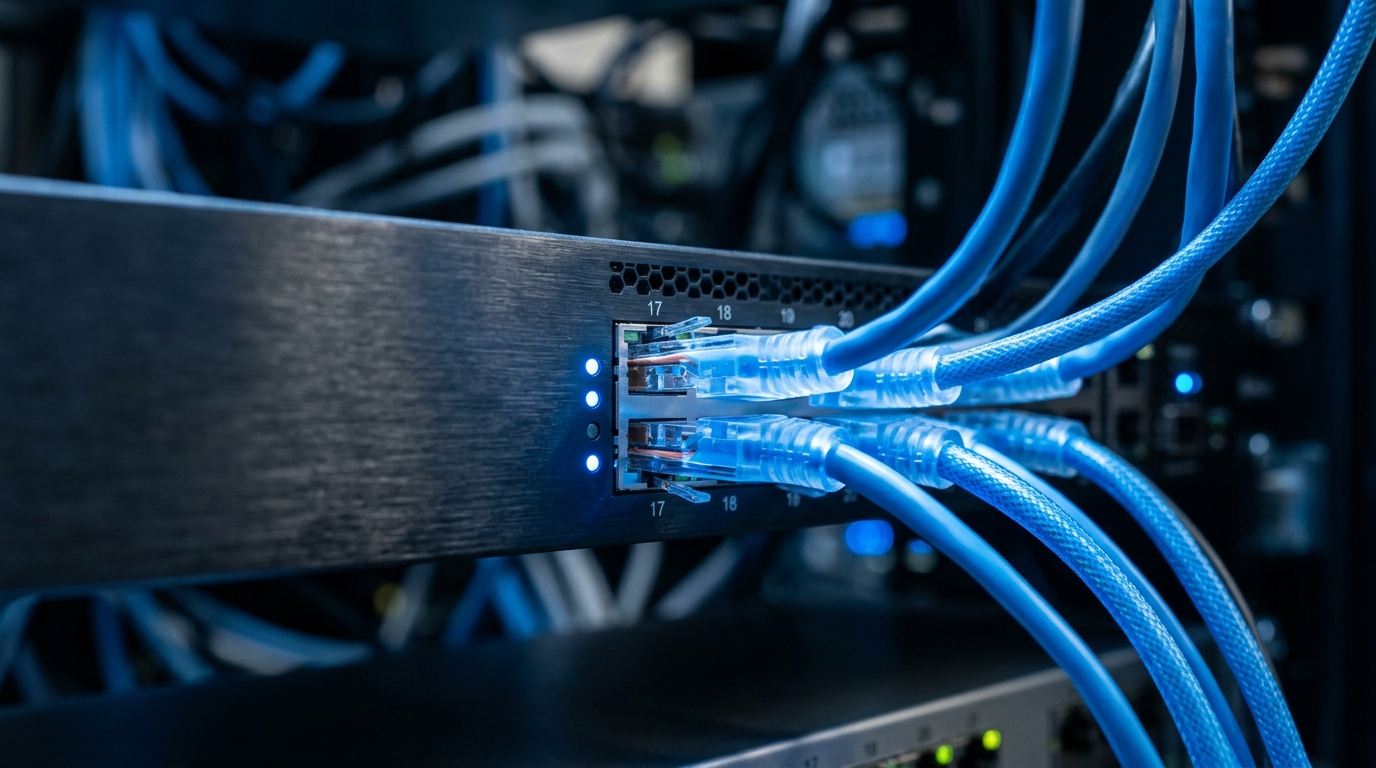
Local-first software reverses this dynamic. The software lives on your device and stores its data locally. When you need to sync across devices, the app looks for your other devices on the same local network.
It establishes a direct, secure connection between your laptop and your phone. The data moves straight from point A to point B. No middleman intercepts it. No database logs the transaction. If your internet connection drops, but your local Wi-Fi router is still running, your sync still works. You retain total ownership of your information.
Milliseconds matter: The speed advantage
Physics limits how fast cloud sync can operate. Data has to travel from your house to a data center, which might be hundreds of miles away, and back again. This round trip takes time. You often feel this latency as a slight delay when pasting on a second device.
Local network transfers happen in single-digit milliseconds. The data only travels a few feet. When you ask what is a local first clipboard manager good for, speed is the most obvious answer. You copy an image on your tablet, and it is instantly available on your desktop. The synchronization happens so fast it feels native to the operating system.
Your clipboard holds your most sensitive data
Your clipboard is a revolving door of highly sensitive information. Passwords, bank routing numbers, private messages, and proprietary code pass through it daily. Securing this pipeline requires keeping that data off external servers entirely.
The hidden risks of standard clipboards
Operating systems treat the clipboard as a shared resource. Historically, any open app could read whatever you copied without asking permission. Apple and Google have tightened these rules recently, adding visual indicators when an app reads your clipboard.
But the risk multiplies when you introduce a sync utility. If a sync app uploads your clipboard history to a central database, a single breach at that company exposes the daily activities of thousands of users. Attackers know this. They target productivity tools specifically because they aggregate valuable data. A cloud clipboard is a goldmine for credential harvesting.
Zero bytes leave your device
The safest way to manage clipboard data is to never send it anywhere. AirClip operates on a strict zero-bytes-leave-your-device policy. We do not want your data. We do not have servers designed to hold it.
Your clipboard history stays exactly where it belongs: on your hard drive. When you sync devices, the transfer happens over a secure local tunnel. Unless you explicitly opt in to a specific sharing feature, nothing touches the public internet. This local-first approach removes the anxiety of copying a two-factor authentication code or a sensitive client document.
Why end-to-end encryption isn't enough on its own
Many cloud tools advertise end-to-end encryption (E2EE) as the ultimate security solution. E2EE is excellent. It ensures that even the company hosting the server cannot read your data.
But E2EE still leaves metadata exposed. A server might not know exactly what you copied, but it knows when you copied it, how large the file was, and which devices you use. It knows your IP address and your usage habits. Local-first architecture eliminates the server entirely. You do not have to worry about metadata leaks because there is no central hub collecting it.
How does cross-platform sync work without the cloud?
Syncing across different operating systems usually relies on a central cloud server to translate and route data. Local-first architecture replaces this central hub with direct, encrypted peer-to-peer connections between your devices.
Direct device-to-device communication
To understand what is a local first clipboard manager, you have to look at how devices talk to each other. Modern local-first apps use protocols like WebRTC or local network discovery (like mDNS).
Your Mac broadcasts a secure, silent signal on your Wi-Fi network. Your Windows PC hears that signal. They verify each other using cryptographic keys generated on your devices. Once verified, they open a direct pipeline. When you hit copy, the payload travels through that pipeline instantly. The process happens entirely behind the scenes, requiring zero manual configuration.
Bridging the OS divide
Different operating systems handle clipboard data differently. Windows uses one set of formats for rich text, while macOS uses another. Linux relies on entirely different clipboard managers depending on your desktop environment.
A strong local-first tool handles this translation locally. When you send a formatted text block from a Mac to a PC, the app converts the Apple-specific formatting into standard HTML or plain text before the paste occurs. For a deeper look at how this works in practice, read our guide on AirClip for Mac & Windows: Seamless Cross-Platform Sync. You get the smooth experience of an ecosystem without being locked into a single vendor.
Handling rich content
Text is easy to sync. Images and files are hard. A high-resolution screenshot can easily exceed 5 megabytes.
If you use a cloud clipboard, uploading a 5MB image takes time. If you have a slow internet connection, that paste action might delay your workflow. Local networks handle large files effortlessly. Modern Wi-Fi routers transfer data at hundreds of megabytes per second. A local-first app can push a heavy image from your phone to your desktop in a fraction of a second.
| Feature | Cloud-First Clipboard | Local-First Clipboard |
|---|---|---|
| Data Storage | External company servers | Your personal devices |
| Sync Speed | 50ms - 2 seconds | < 5 milliseconds |
| Offline Sync | Fails completely | Works on local network |
| Privacy Risk | High (Server breaches) | Near Zero (No servers) |
| Account Needed | Yes (Email/Password) | No (Direct pairing) |
The productivity benefits of a local approach
Privacy is the primary reason to adopt local-first tools. But the day-to-day benefit is pure speed. By removing the internet from the equation, your workflow becomes faster, more reliable, and completely frictionless.
Working offline and on restricted networks
Professionals often work in environments with terrible internet connectivity. You might be on an airplane, in a hotel with a captive Wi-Fi portal, or working from a remote cabin.
Cloud tools break in these scenarios. You copy a link on your phone, and it goes nowhere. A local-first tool keeps working. As long as your devices are on the same local network—even a mobile hotspot with no cellular service—your sync continues to function. This reliability is crucial for developers and designers who need their tools to work regardless of external conditions.
No accounts, no logins, no friction
Cloud services require accounts. You have to sign up, verify your email, create a password, and manage subscriptions. This creates unnecessary friction for a utility that should be invisible.
When explaining what is a local first clipboard manager to new users, the lack of an account is often the biggest selling point. You download the app. You open it on two devices. You pair them with a quick scan or a pin code. You are done. You do not need to hand over your email address to sync your own data across your own devices.
The reality of real-time sync
Many apps claim to offer real-time sync. But true real-time is rare. Cloud apps often use polling—they check the server every few seconds to see if new data arrived.
Local connections use persistent sockets. The moment you press Ctrl+C, the data pushes to the paired device. There is no polling. There is no waiting. This instantaneous response changes how you work. You stop thinking about the transfer process and start treating your multiple screens as one continuous workspace.
Is a local-first clipboard manager right for your workflow?
Deciding to switch your clipboard utility comes down to how you value your data and your time. If you use multiple devices and care about where your information lives, the transition makes immediate sense.
Evaluating your current setup
Take a moment to audit what you copy on a normal workday. You likely copy meeting links, draft emails, snippets of code, and maybe personal tracking numbers.
If you currently use a built-in cloud sync feature provided by your operating system, that data is leaving your network. If you do not use any sync feature because of security concerns, you are probably wasting time emailing links to yourself or using chat apps as a makeshift clipboard. A local-first tool solves both problems simultaneously.
Security compliance for remote teams
Remote teams face unique security challenges. IT departments need to secure company data, but employees use a mix of personal and corporate devices.
Mandating a cloud clipboard introduces compliance headaches. You have to audit the vendor, check their SOC2 compliance, and ensure they meet data residency requirements. A local-first tool simplifies this entirely. Because the data never hits a third-party server, there is no vendor to audit. The data remains within the employee's local network. For more on securing team workflows, check out our thoughts on zero-trust clipboard sharing.
Making the switch
Transitioning to a local-first setup requires almost no effort. You do not have to export old data or migrate databases.
You simply install the utility on your primary machines. You pair them up. You turn off the cloud-sync features in your operating system settings. From that point on, your workflow remains identical, but your privacy profile improves dramatically. You regain ownership of the smallest, most frequent data transfers you make every day.
FAQ
Q: What is a local first clipboard manager? A local-first clipboard manager is a tool that syncs your copied text and files directly between your devices over a local network. It does not use cloud servers to store or route your data. This ensures maximum privacy and speed.
Q: Does local-first sync work if I am away from home? Yes, as long as your devices are on the same network. If you are at a coffee shop, connected to a mobile hotspot, or on a corporate network, your devices can still find each other and sync directly.
Q: Can I sync between a Mac and an Android phone? Absolutely. Local-first architecture relies on standard network protocols, not ecosystem-specific cloud accounts. This makes cross-platform syncing between macOS, Windows, Linux, iOS, and Android seamless and fast.
Q: Do I need to create an account to use AirClip? No. Because your data does not go to a server, we do not need to manage an account for you. You simply pair your devices directly using a secure code or QR scan to start syncing immediately.
Further reading
- Local-first software: You own your data, in spite of the cloud — An excellent academic paper by Ink & Switch detailing the philosophy and technical foundations of local-first applications.
- The State of Clipboard Security — A deep dive into how modern operating systems handle clipboard permissions and why third-party apps pose a risk.
- Network Latency and Productivity — An exploration of how millisecond delays in user interfaces impact cognitive load and workflow efficiency.